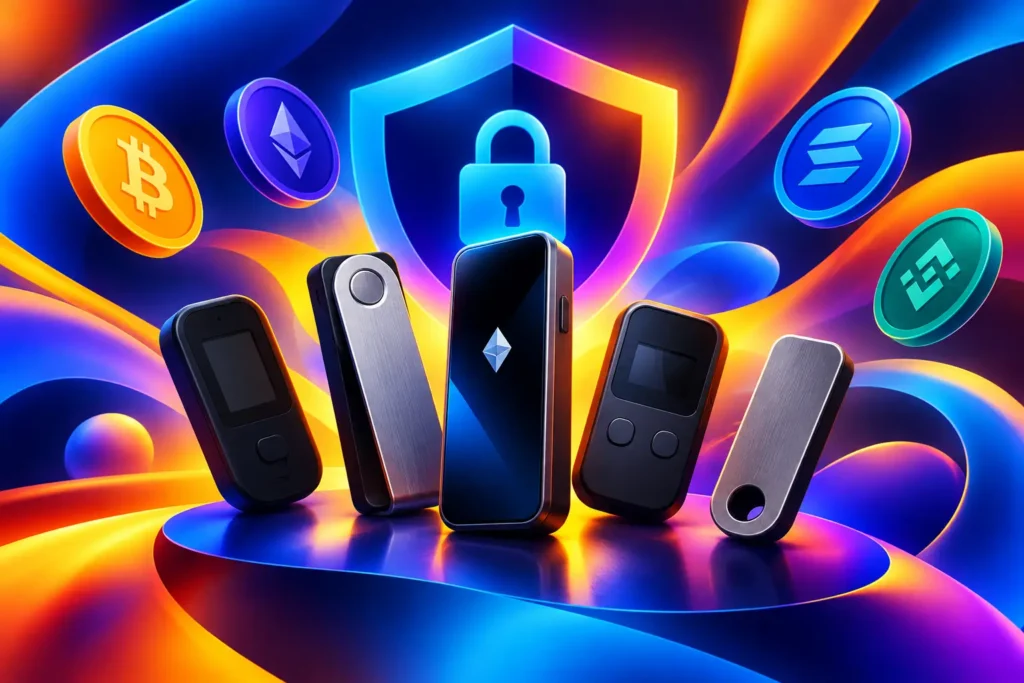
Best Hardware Wallets 2026: 5 Smart Picks
Your exchange balance may be convenient for trading, but convenience is not the same as control. The best hardware wallets 2026 give long-term Bitcoin and crypto holders a practical way to keep private keys offline while still checking balances, receiving assets and approving transactions when needed.
Thank you for reading this post, don't forget to subscribe!That distinction matters. A hardware wallet does not store coins in a tiny device – your assets remain recorded on the blockchain. What the device protects is the private key that proves you can move them. If somebody gets that key, they can empty the wallet. If they cannot access it, a phishing email, compromised browser extension or exchange breach is far less likely to put your self-custodied holdings at risk.
For most people, the right choice is not the device with the longest feature list. It is the one you will set up carefully, understand well and use without taking shortcuts. Here are five leading options, who they suit, and the trade-offs worth knowing before you buy.
Best hardware wallets 2026: the short answer
Trezor Safe 5 is the strongest all-round pick for investors who want a clear touchscreen experience and an open-source security approach. Ledger Flex is a compelling option for users with broad multi-chain portfolios who value a polished interface and mobile-friendly management. BitBox02 Bitcoin-only is an excellent focused choice for Bitcoin holders who want fewer moving parts. Coldcard Q is built for serious Bitcoin self-custody and users comfortable with a more technical workflow. Keystone 3 Pro stands out for people who specifically want air-gapped QR-code signing.
None is automatically “best” for every portfolio. If you hold Bitcoin and a handful of major assets, simplicity should win. If you regularly use several networks and decentralised applications, asset support and connection methods may matter more. If your priority is reducing online exposure as far as possible, an air-gapped design deserves a closer look.
1. Trezor Safe 5 for the balanced long-term holder
The Trezor Safe 5 is a sensible starting point for investors who want security without turning every transaction into a technical project. Its colour touchscreen makes address verification, PIN entry and wallet setup easier to read than older button-only hardware. That is more than a cosmetic upgrade: a clear screen helps you slow down and confirm exactly what you are approving.
Trezor’s open-source approach will appeal to users who prefer security practices that can be independently examined rather than treated as a black box. It supports a wide range of mainstream assets through its software and compatible wallet integrations, making it practical for a diversified portfolio.
The trade-off is that openness and usability do not eliminate user responsibility. You still need to protect the recovery phrase offline, verify receiving addresses on the device screen and avoid fake support messages. Choose the Safe 5 if you want a capable everyday self-custody device without an unnecessarily specialised setup.
2. Ledger Flex for broad crypto portfolios
Ledger Flex is aimed at holders who want a refined device experience alongside extensive ecosystem support. Its larger display is useful when reviewing transaction details, while Bluetooth connectivity can make mobile portfolio management less awkward than plugging a device into a computer every time.
That convenience makes sense for someone moving assets from an exchange into long-term storage, tracking several chains, or occasionally interacting with supported applications. A device that is easy to use is more likely to be used correctly, particularly when you need to verify a transaction on the move.
Still, Bluetooth is not a reason to lower your guard. The private key remains protected within the device, but you should treat every transaction prompt with suspicion until you have checked the address, network and amount on the wallet screen itself. Ledger’s architecture and account-recovery options have also prompted debate among self-custody purists. That does not make the Flex unsuitable, but it means buyers should understand the product model and enable only services they genuinely want.
3. BitBox02 Bitcoin-only for focused custody
The Bitcoin-only edition of BitBox02 does one useful thing: it removes pressure to chase support for every new token. For investors who primarily hold BTC, a narrower design can reduce complexity and make the wallet easier to audit mentally. You are not navigating a sprawling asset catalogue when your goal is simply to protect Bitcoin for years.
Its compact form, straightforward companion software and microSD-based backup options make it approachable without feeling casual about security. The device also offers touch sensors rather than a large touchscreen, which some users will find less intuitive at first but perfectly effective after setup.
This is not the best purchase for an active altcoin trader. If your portfolio contains Ethereum, stablecoins, NFTs or assets across multiple networks, select a multi-asset wallet instead. But if Bitcoin is your core conviction, a Bitcoin-only device is a disciplined choice that keeps the security model focused.
4. Coldcard Q for Bitcoin-first power users
Coldcard has earned its reputation with Bitcoin users who want detailed control over how transactions are created and signed. The Coldcard Q takes that approach further with a full keypad, larger display and workflows designed around partially signed Bitcoin transactions. It can support air-gapped use, allowing data to move via microSD or QR codes rather than a direct device connection.
That separation is attractive if you are protecting a meaningful Bitcoin position and want to minimise the attack surface of an internet-connected computer. It is also valuable for advanced setups such as multisignature custody, where more than one key is required to authorise spending.
The cost of that control is a steeper learning curve. Coldcard is not the device to buy on Friday evening and rush through before sending your whole balance. It rewards users who will practise with a small amount, learn the transaction flow and keep clear records of their backup process. For the right person, that effort is part of the point.
5. Keystone 3 Pro for QR-based signing
Keystone 3 Pro is designed around a camera-driven, air-gapped workflow. Instead of connecting by cable or Bluetooth, you can use QR codes to pass unsigned and signed transaction data between the wallet and companion software. The device’s large touchscreen makes that process easier to inspect than it sounds.
For people who dislike the idea of plugging a signing device into a phone or laptop, this approach has obvious appeal. It can also work well with multisignature arrangements and users who want a visibly separated signing environment.
However, air-gapped does not mean risk-free. You can still approve a malicious transaction if you fail to review what is displayed. QR workflows may also feel slower for frequent activity. Keystone is best for deliberate holders who value separation over speed, not for somebody making rapid trades throughout the day.
What matters more than the brand name
Before choosing a device, check which assets and networks you actually hold. “Supports crypto” is not enough. Confirm that the wallet supports the specific asset, the correct network and the transaction type you expect to use. Sending funds over the wrong network or assuming compatibility can create a costly recovery problem.
Then consider your connection preference. USB is simple and familiar. Bluetooth can be convenient for mobile users. QR-based signing creates more separation but asks more of you. There is no universal winner – match the connection method to your habits and threat model.
The recovery process deserves even more attention than the device. Your recovery phrase is the master backup. Write it down offline, store it somewhere private and secure, and never type it into a website, share it with support staff or photograph it. Anyone who sees the phrase can recreate your wallet without needing the physical device.
A metal backup can make sense for larger holdings because paper is vulnerable to water, fire and accidental disposal. For smaller balances, a carefully stored paper backup may be enough. What matters is that you can recover access if the wallet is lost, damaged or replaced.
Set up your wallet without creating a new weak point
Buy directly from the manufacturer or an authorised retailer with a documented supply chain. Avoid used devices, marketplace bargains and anything that arrives with a recovery phrase already printed on a card. A legitimate hardware wallet creates the recovery phrase during your own setup. It never asks you to use a phrase supplied by somebody else.
Start with a small test transfer. Send a modest amount from your trading account to the new wallet, confirm the receiving address on the hardware wallet screen, and then practise restoring access only if you fully understand the process. A test is cheaper than discovering an error when a larger balance is involved.
For investors using an exchange for price discovery or active trading, keep the roles separate. An exchange account can be useful for buying, selling and monitoring a wide market. A hardware wallet is for assets you intend to control personally. Blockchain Israel users can use market data and portfolio tools to stay informed, but no dashboard replaces checking transaction details on the signing device in your hand.
Finally, protect against the most common threat: urgency. A message claiming your wallet is locked, a token is at risk or support needs your recovery words is designed to make you act before thinking. Pause, close the message and verify the situation through your own trusted route. The best hardware wallet is only as strong as the decisions made around it.
Choose one that fits your holdings, complete the setup without rushing, and make a small test transaction before moving serious money. That quiet routine can protect years of investing.
Open your MEXC digital wallet and get exclusive deposit bonuses. Over 1,700 digital currencies available!
🔗 Open a Free MEXC AccountAffiliate link • Sign up in seconds